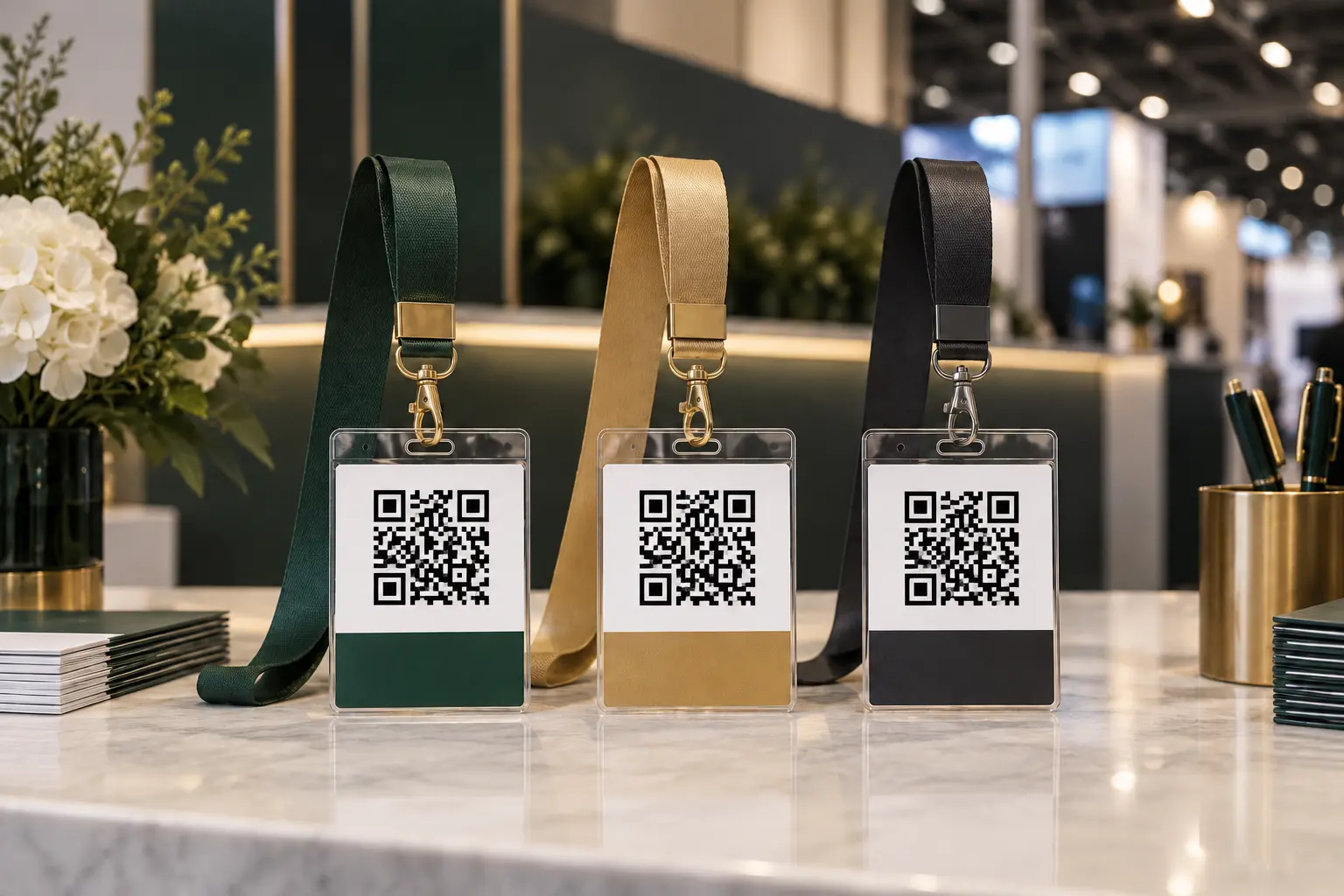
QR codes are now common on conference badges for check-in, session access and lead retrieval. Event-community discussions about on-site printing show that the printer, badge stock, holder, lanyard and software must work together. A QR code that scans perfectly on a flat proof can fail when the badge bends, rotates or catches glare inside a clear holder.
The lanyard does not scan—but it controls the scan position
The strap determines where the badge rests and how much it moves. The clip determines whether the badge faces forward. The holder adds a reflective layer. Each component can influence how quickly staff or exhibitors capture the code.
| Component | Scan risk | Test |
|---|---|---|
| Lanyard length | Badge rests too low or at an awkward angle. | Scan while worn by people of different heights. |
| Single clip | Wide badge rotates or flips. | Walk, turn and scan after normal movement. |
| Double clip | Incorrect hole spacing twists the badge. | Confirm center-to-center spacing on the final credential. |
| Clear holder | Glare or wrinkles interfere with camera focus. | Test under venue lighting with the real app. |
| Printed insert | Code is too small, low contrast or near a fold. | Print on the final stock at 100% scale. |
Test the final code, not a placeholder
Use the real encoding method and production artwork. Confirm that the code has sufficient quiet space and is not crowded by a logo, border, slot or holder seam. LANYVO manufactures the lanyard and can help align the holder specification, but QR-code content, security and software behavior must be controlled by the event technology provider.
Do not publish live attendee data in a sample shared widely. Use test records or inactive codes during physical sampling.
Choose the holder from the badge stock
Provide the finished insert dimensions, thickness, orientation and whether the badge folds. The usable pocket size is more important than the outside dimensions. A holder that is too loose can let the insert slide; a holder that is too tight can bow the badge or make on-site insertion slow.
Check glare before the venue is busy
Scan the credential under overhead lights, near windows and at the registration counter. Tilt the badge through normal angles. If the app struggles, review holder finish, code placement and badge stability before ordering all components.
Match the clip to the scanning workflow
A swivel hook allows the badge to turn, which can be convenient but may also leave it facing backward. A bulldog-style clip can grip a slot directly. A double clip can stabilize a wide landscape credential. There is no universal best attachment; the final badge geometry decides.
Plan for on-site printing
If names and QR codes are printed at check-in, decide whether the lanyard and holder arrive pre-connected. Registration staff may benefit from prepared kits, but the badge still needs a fast insertion route. Run a timed rehearsal with the printer, software, badge stock, holder and lanyard.
Keep a small group of replacement holders and lanyards at each check-in point. Define how an invalid or reprinted code is handled so a physical replacement does not create a duplicate active credential.
Separate scanning roles from visual roles
Staff, exhibitor and VIP colors can help people navigate the event, but role color should not reduce QR contrast. Keep the code area consistent and place visual role cues in a badge band, holder edge or lanyard color outside the scan zone.
RFQ checklist for QR code badge lanyards
- Total quantity and quantity per design
- Badge insert size, thickness and orientation
- Holder pocket dimensions and material
- One or two attachment points and exact spacing
- Strap width and finished length
- Printing method, role colors and artwork
- Breakaway or detachable buckle requirements
- Pre-assembly and bundle quantities
- On-site printing workflow
- Destination and required arrival date
Also review our on-site badge printing guide and secure convention badge attachment guide.
Bottom line
Choose lanyards for QR code conference badges by testing the complete worn credential with the actual event app. The best result is not simply a sharp printed code—it is a badge that stays visible, stable and easy to present throughout the event.
Frequently asked questions
Can a QR code badge be placed inside a clear holder?
Often yes, but the holder surface, lighting and insert position can affect scanning. Test the exact printed badge and holder with the event's real scanner or mobile app.
Is one clip enough for a QR code conference badge?
It can be for a stable portrait badge. Wider or heavier credentials may benefit from two correctly spaced attachment points if rotation interferes with scanning.
Should QR badges be pre-assembled before the event?
Pre-assembly can save time when badges are printed in advance. For on-site printing, confirm that staff can insert or attach the badge quickly without covering or bending the code.
This article was informed by current event-community discussions about practical planning problems. The manufacturing and specification recommendations are LANYVO's original guidance.
Reddit discussion 1: event-community context used for this guide
Reddit discussion 2: event-community context used for this guide